Resizing v5 to v6 and back with NMM 6.1

Hey guys, thought I'd post this over the weekend and get some input. I've sent this over to Nerdio as we've had an ongoing ticket on getting the v6 hardware up and running.

In 6.1, one of the features was that we could get this hardware going. I've just tried to resize a v5 to v6, and get the same error about the disk controller drivers being wrong. Will we eventually be able to move from older hardware to the new versions without having to create a new disk image from scratch? I tried both resizing an existing session host, and also a desktop image, with the same error happening:
 

I think it will be important to do this, so that we can still use Azure Capacity Extender. I imagine these v6 sku will be very limited in availability for a while, and we don't want our users stuck when Microsoft runs out of them at any particular time.

Hopefully i'm missing something on 6.1's support! 


Here is the error:
VM resizing to Standard_D4as_v6: /subscriptions/…desktopimagehere

Error: The VM size 'Standard_D4as_v6' cannot boot with DiskControllerType 'SCSI'. Please check that the disk controller type provided is one of the supported disk controller types for the VM size 'Standard_D4as_v6'. Please query sku api at https://aka.ms/azure-compute-skus to determine supported disk controller types for the VM size.
 

Thanks all!
 

1

Comments (5 comments)

0
Avatar
Hayden Zegley

Hi Travis,

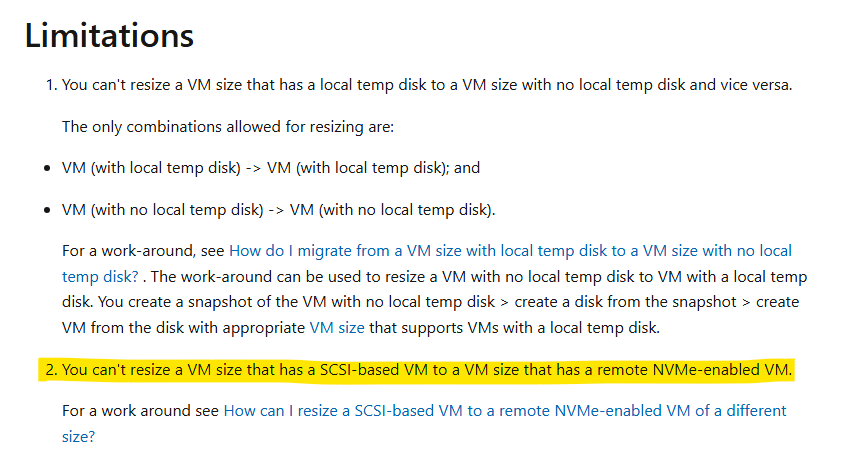
Thank you for the request. My understanding is that this is currently an Azure limitation for VM resizing. Resizing from SCSI based to NVMe based doesn't appear to be a supported use case at this time. 

There is a work around listed in the Microsoft documentation but this is not supported at this time and I'm not positive whether or not this would be feasible via Nerdio Manager.


0
Avatar
Travis Lamming
(Edited )

Hey Hayden!

It looks like the work around is all scripts and powershell, I dont see any reason Nerdio couldnt implement it. That, or maybe we could even do a scripted action to inject the driver. I dont see any reason why we cant have both the scsci drive controller AND the nvme drive controller, and let the OS load the driver at boot that is needed for the hardware. 

1
Avatar
Dave Stephenson

Thanks, Travis!

Brandon Rutledge added a comment on the Add New AMD v6 VMs topic with a Microsoft blog posts (from 2024) that walks through the process.

Converting Azure Virtual Machines running Windows from SCSI to NVMe

It would require some checks, but in theory it should be an “easy” 4-step process that Nerdio Manager could complete in “one click”

  1. Check if your virtual machine series supports NVMe
  2. Check your operating system for NVMe readiness
  3. Convert your virtual machine to NVMe
  4. Check your operating system


1
Avatar
Travis Lamming

Perfect. The reason I know this is I've got some expierience swapping workstatoins from RAID to ACHI and back again, which was largely the same process. This would allow us to flow back and forth between machine types. Nerdio doesnt really explain to someone that doesnt know that v6 and v5 machines are fundamentally different so I imagine you'll get some support tickets on this until it changes to be more easy.

Thanks Dave et all for all the help!

0
Avatar
Emily Frank

Have you had any luck doing this process on an Image? I've been able to do it manually on an existing VM but every Image I try to convert from a V5 sku to a V6 sku fails.

Please sign in to leave a comment.