
When using the User Driven Scale trigger under Auto Scale, the option to use Scale In Aggressiveness is removed. Can this be made available for this trigger?
Tom
When using the User Driven Scale trigger under Auto Scale, the option to use Scale In Aggressiveness is removed. Can this be made available for this trigger?
Tom
Hmm. I don't know if this is possible.
Currently, the User-driven trigger is designed so that "hosts will be . . . automatically stopped after a defined amount of time after all users log off" so there isn't really a way to have an aggressiveness setting. If you look at the tool tip for the settings, you see that you can change the aggressiveness by utilizing user session limits.
Do you think that'll work for you or is your use-case a bit different where you need a hybrid of User-Sessions and the Aggressiveness?
If so, can you elaborate on that?
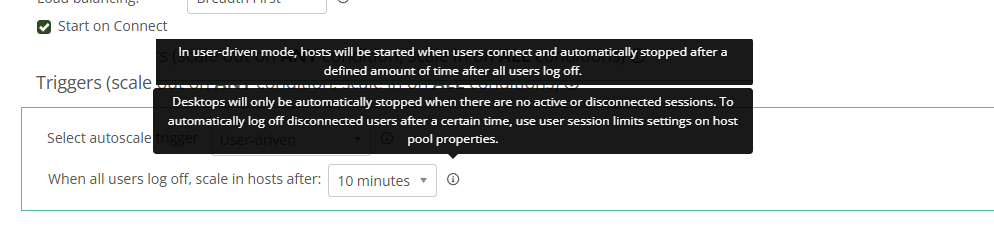
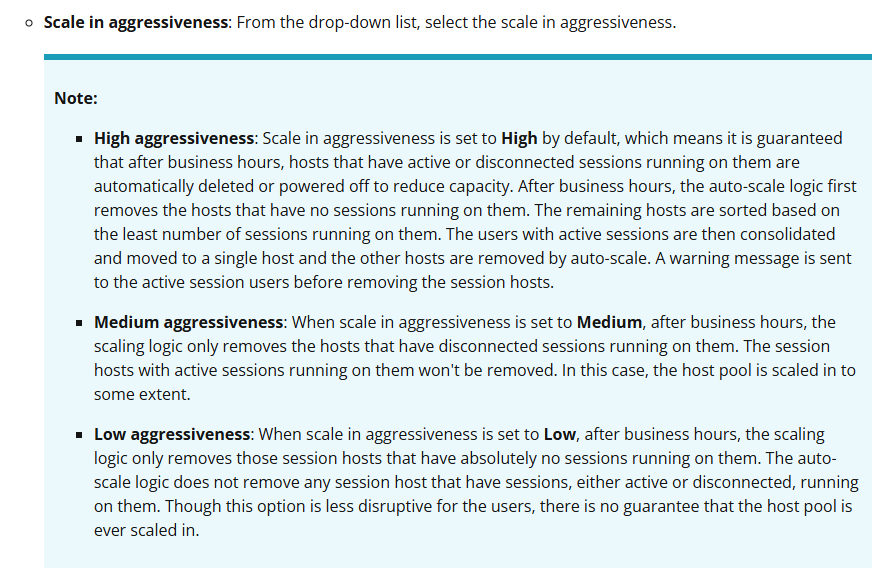
To be honest, it probably is very much a specific use case. The client we were looking to enable this for is using NV series VM's for CAD workloads. We didn't want a single VM running 24/7 (we worked out a reservation was going to be more expensive than how long the VM might run for in the month). So we set the Auto Scale Min Active Hosts to 0 so that all VM's were off when needed and enabled Start On Connect to allow users to boot them up when needed (using the User Driven trigger). We also have a 3 hour inactivity window before disconnected sessions are logged off as the staff could be going between meetings and 1-2 hours was too little. But we would like disconnected sessions to be fully logged off after a certain time (i.e. 7pm) and the only way I can see us being able to do that is with Aggressiveness settings.
As I said, very specific use case. If it's not possible, that's fine - I might just have to review the reservation option
Tom
Thanks, Tom. The use-case helps to understand the ask better. 🙂
That's actually a fairly common use-case.
I don't know definitively if it's possible or not. Our Product team will look into the feasibility of implementing your idea.
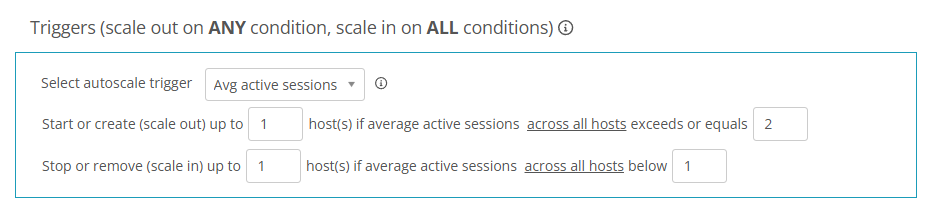
However, if I had the requirement, I would do it by leaving the inactivity window in place and instead adjust the scaling logic to something similar to the example below.
With these settings, it will scale in any host, outside of business hours and log-off disconnected users.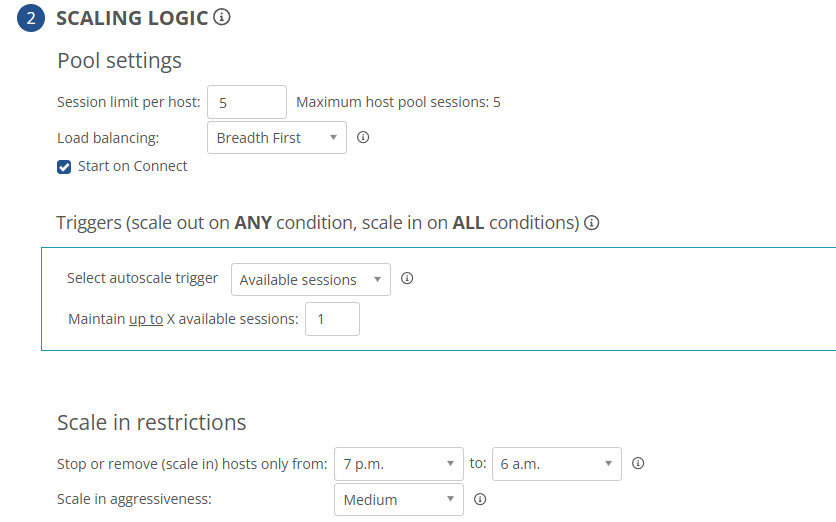
Alternatively, I would have a recurring scripted action run at 7PM to log-off all users and then the User-driven scaling logic would automatically scale-in the host ~10 minutes later.
While we can't do what you're wanting, right now, hopefully one of those workarounds works for you in the meantime.
Thanks Dave,
I can give one of the workarounds a go. But can you confirm something for me. If the Trigger is set to Available Sessions with a value of 1, won't that keep on session host running at all times?
Tom
Good point, Tom.
I didn't even consider that part of the auto-scaling rule.
With the Available sessions trigger, it tries to power-off the host but can't because the rule conflicts.
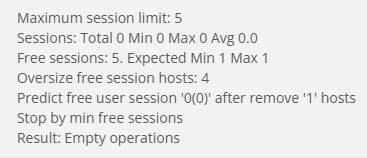
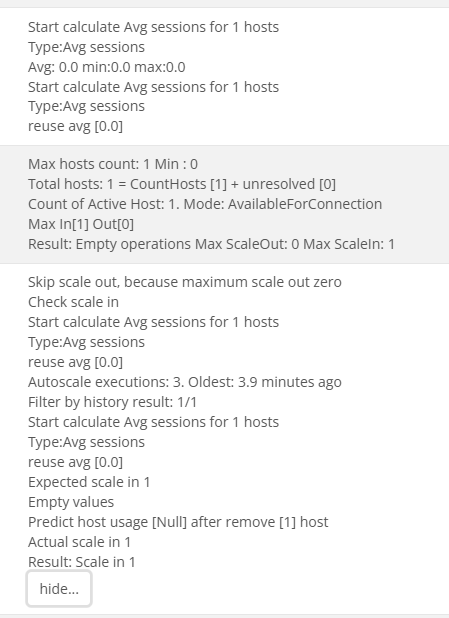
However, with the Avg active sessions trigger, it looks like it will do what you're wanting.
Granted, I just did this test for a host pool with a single host, but the same theory should apply if you have more hosts in your host pool.
You would just need to tweak the triggers to fit your needs. 🙂
Please sign in to leave a comment.

Comments (5 comments)