
We have a number of clients now running 22H2 or 23H2. Is there any way to update these images to a newer feature update that doesn't require rebuilding a new base image from scratch?
Windows Feature Updates
1

"Technically", Microsoft doesn't support version upgrades for multi-session versions of Windows.
However, there are "hacks"/"workarounds" to be able to upgrade your existing hosts. When I tested it though, there were quite a few hoops to jump through to get it to work for AVDs. You might be better-off creating a new image from scratch instead of wondering what future problems you're creating by upgrading an existing image.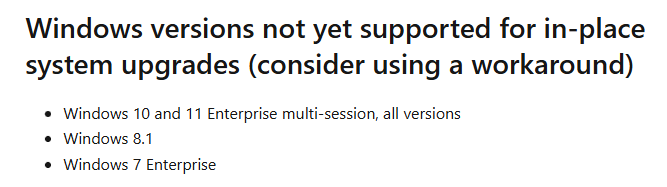
Thanks Dave, i did see that and used one of the "hacks" to get an inplace upgrade done. The inplace upgrade seemed fine on the image machine but blue screened our test host pool. I agree on the clean image but was hoping to avoid if possible!
You're welcome, Martin!
I wish I had better news or another way to do it, but unfortunately, it doesn't look like it so far.

I just took what I learned from a Nerdio webinar and ran with it, that feature updates required a new image be built.

I know this is an older thread but I wanted to see if anyone has come across any newer info about running Feature Upgrades on windows11 multi-session desktop images.
i have had a heck of a time even trying to use a workaround to upgrade 23H2 images to 25H2 for compliance.
For reference the 2 images that I have been testing on, 1 did eventually install 25H2 but a newly created session host from the image had some broken system related things such as not being able to run apps as an Administrator. The other seems like the update just keeps looping showing that it installed but when the vm reboots it was still 23H2.
Please sign in to leave a comment.
Comments (5 comments)