Inherited Variables - Scripted Actions Availability

I was implementing the ability to install / update Quickbooks using the Nerdio / Flowdevs provided Shell Apps. I used the instructions from these two Nerdio KBs: 

Thanks for this, BTW. 

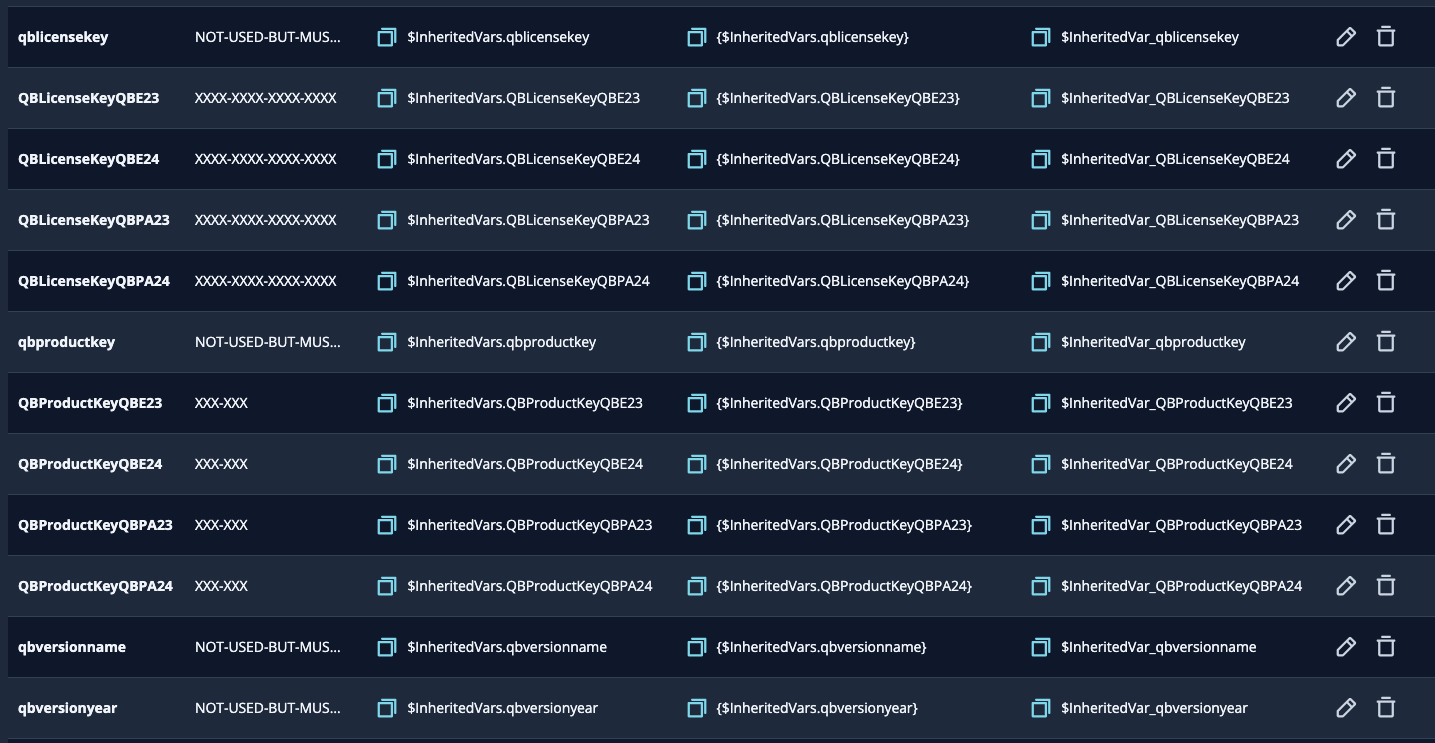
Most of the implementation went fairly well. I have multiple versions of Quickbooks, so I had multiple scripts and multiple inherited variables. I created what was needed and then set up the applications in the Power On application install section of my Desktop Image. I also have applied the Update Windows 11 scripted action to update my DI when powering on. All intended versions of QB was installed. There is one thing I am puzzled about. 

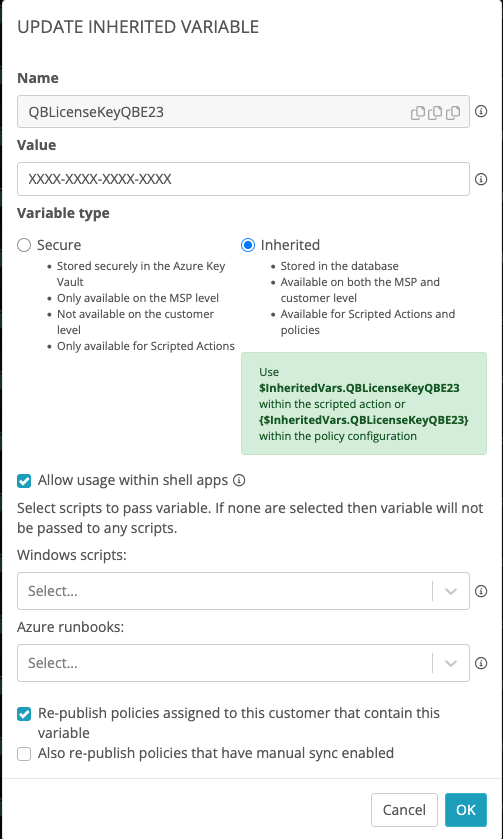
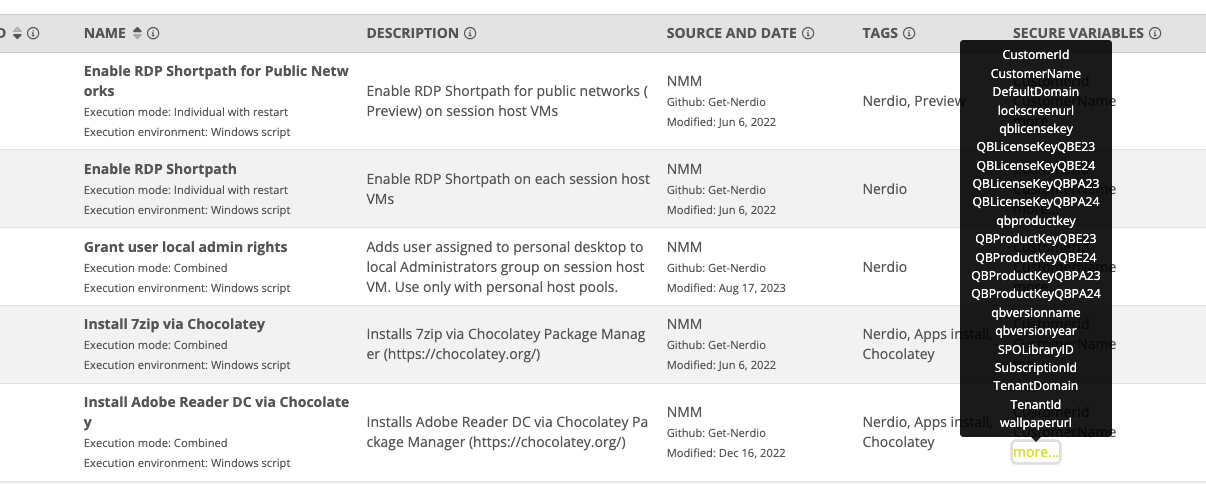
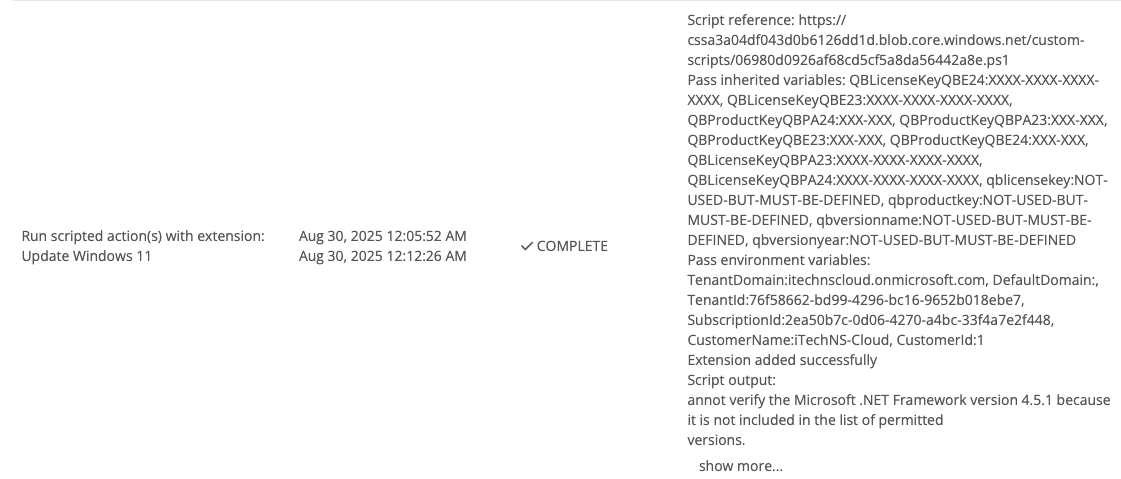
In the Inherited Vars (IV) definitions, I checked the box “Allow usage within shell apps”, and at first I left the default of "All Scripts" for Windows Scripts & Azure Runbooks. I noticed when viewing Scripted Actions…Windows Scripts…Secured Variables column popup, it showed all the new variables I created. I went back into those IV definitions and removed the default of “All Scripts” from the Windows Scripts & Azure Runbooks. Those fields are now blank. But in the Scripted Actions…Windows Scripts…Secured Variables popup those variables are still listed. And I noticed that in the execution of the Update Windows 11 Scripted Action when powering up the DI, those variables are being passed (of course not used). So the question is, since the IV's definition doe not reference any scripts, shouldn't these NOT be listed in those areas or passed to any Scripted Action? They should only apply to Shell Apps (which seems to be either all or none).   Screenshots attached. 

Lonnie
 

1

Comments (6 comments)

0
Avatar
Dave Stephenson

I'm glad you're getting use out of the ShellApps and QuickBook tools in NMM. 😍

As far as I know, you're right, where it's an "all or nothing" with using variables for Shell Apps.
However, whether you chose to enable them for Windows Scripts and/or Azure Runbooks shouldn't have any impact on them being usable by ShellApps.

0
Avatar
Lonnie Thibodeaux

Hi Dave, 

Yes, I understand about the Shell Apps…all or nothing…that is fine. 
But if the IVs are not assigned to any Scripted Actions (or Azure Runbooks…I checked, they show as  assigned as well), they shouldn't show as assigned and surely shouldn't be passed (as shown in my screenshot). Maybe just semantics, because it doesn't have any real effect, they are just not considered by the script as it is not using the IV. Just seems to be a bug to me. 

P.S. Thanks for that info on Quickbooks Shell Apps. 

Lonnie

0
Avatar
Dave Stephenson

Thanks, Lonnie.

That's one of those things that I've never noticed before in the UI.
It looks like something that was added before Inherited Variables was implemented (hence the “Secure Variables” column name). As far as I can see that column serves no real purpose other than to give you a read-only view of the existing variables. 
My guess is our product team might revisit that UI decision when they're working on the scripts for the New UI.

That being said, the inherited variables can have different usage settings on the MSP level vs the Account Level.
Out of curiosity, when you adjusted the Shell App/Windows Script/Azure Runbook availability, did you do it at the MSP Level or the Account Level?

1
Avatar
Lonnie Thibodeaux

Hi Dave, 

Yea, I can understand / agree with your statement about the UI

Out of curiosity, when you adjusted the Shell App/Windows Script/Azure Runbook availability, did you do it at the MSP Level or the Account Level?

All modifications are at the MSP level, except for the Account Level values for those vars

For the most most it's all good. 

Thanks
Lonnie

0
Avatar
Lonnie Thibodeaux
(Edited )

Hi Dave, 

Another quick questions. I have implemented the Quickbooks shell apps for QB Premier Accountant 2023 & 2024, and Enterprise 23 & 24. I have a shell app for each version and the appropriate IVs defined. The four shell apps are identical except for the IVs they use. I have it working, but there are some inconsistencies in two areas of the Install script, where it randomly fails. One were it attempts to download the QB Updates (not the main download), and another at the very end of the script where it attempts to delete a couple QB files, might get an exception on a QBLock.lck file. Both are random and not consistent. At the moment, I am going to try to run them all in sequence, and reboot in between each Shell app.  BTW, I am applying these Shell apps to my Desktop Image. 

My question: Should I report this to Nerdio support, or attempt to contact  Flowdevs support. 

Thanks
Lonnie

0
Avatar
Dave Stephenson

Thanks, Lonnie.

If it's a problem with the script not working consistently, you can open a Nerdio support case and our team can work to figure out if it's an issue with how we're executing the script(s) or with the Flowdevs team if there is anything that needs to be adjusted in their script(s).

Please sign in to leave a comment.