
I've got a host pool that is used just about 24/7 with users in the US and EU. It makes it hard to schedule a re-size. What would be really neat is a “rolling” re-size, where we can start with a single host - maybe create a brand new one, temporarily - re-size it to the desired image, and then notify users on the next host to “log out and log back in”. Basically, re-size hosts in a rolling fashion, that way there is only one host down at a time and user inconvenience is minimal. This would avoid having to wait for the entire re-size operation on all the hosts.
A "Rolling" Re-Size / Re-Image
2

Great idea, we have a trucking company client that's the same way, its realy hard to get maintainance done and have to do the open heart surgery, no down time approach to all of our updates and changes.

Welcome to the community, Alex Ivantsov and great idea 🙂!
Out of curiosity, do your users have issues with the “Please log out and back in” messaging or does it need to be completely seamless?
This reminds me of another conversation (Reimage schedule – Nerdio Help Center) we had on here.
Their ultimate solution was to do separate host pools (one for each shift) so that they could get the maintenance windows for reimaging.
Another way you could do it would be to utilize our Automatically re-image used hosts feature so that when the last person logs-out, the VM is reimaged.

Coming back to your idea though, our autoscale aggressiveness will kind of do what you're asking, but it won't apply to a reimage.
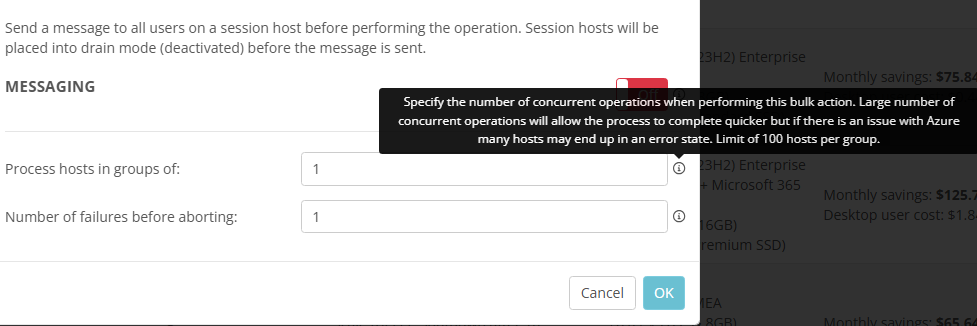
In the reimage options, we have the option to choose the number of concurrent operations, but not a way to explicitly say, “Leave the already powered-on hosts with active sessions for very last”.
Out of curiosity, if we implemented something like a box that said, “Leave all active session hosts until last”, would that do what you're wanting or are you thinking of it more like our “Rolling Drain Mode” feature where you can choose the percentage of hosts that are reimaged at 2AM, 3AM, etc?
Please sign in to leave a comment.
Comments (2 comments)