
Just reaching out to see if anyone has insight into lessons learned from doing an in-place upgrade to Windows 11 24H2 (in my case from 21H2 but generally asking) on a desktop image. Looking at a customer where there are quite a few third party apps installed, nothing notably complex. Just curious if anyone has experienced unexpected behavior or other signs that it isn't worth trying the update in this fashion, and to go straight to building a fresh new image.
In-Place Upgrade Win11 to 24h2
3

That's something we're asked on a fairly regular basis.
"Should we upgrade or just start from scratch?"
(side note: There will be a blog post about this very topic coming out soon that may be able to answer your question better)
From an "official" standpoint, Microsoft doesn't currently support upgrading a multi-session version of Windows 10/11.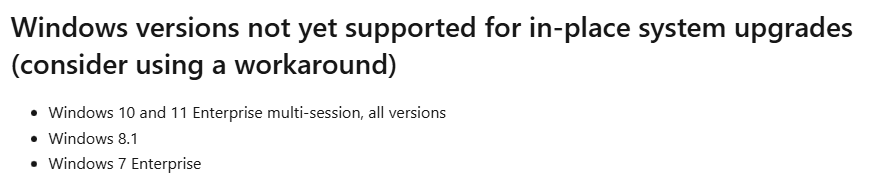
"Unofficially", you can do it, but there are a lot of gotchyas to watch-out for.

There's a great video on the topic from Nerdio's Neil McLoughlin that's well worth a watch.
How to Upgrade to Windows 11 VMs in Azure Before Windows 10 Support Ends!
From my perspective, you're going to be better-off in the long run by creating a new image from scratch verses upgrading the image and wondering if there are gremlins waiting to strike sometime in the future where it could be next to impossible to track-down.
The time spent creating a new image will pay for itself to avoid countless hours spent troubleshooting without Microsoft being able to support the OS that was upgraded in an unsupported way.
That being said, it's your company and your customers. At the end of the day, you've got to decide what's best.
Dave - Thank you for the detailed response. I didn't think to look to verify whether the multi-sessioned versions even supported it, but that explains why it wasn't offered as part of the typical update cycle as an option.
I lean heavily away from un-supported situations, for all of the described scenarios and more, so absolutely, this was all the ammunition I needed.
As for 10 to 11 upgrades, no way would I do it in-place, even if it was loosely supported with release notes/known issues. We have a handful of those in the pipeline as well, but there is no question there, new image, fresh optimization, fresh testing.
You're very welcome, John. 🙂
There are some unsupported features (i.e. Use Azure Files with Entra ID Joined Method for AVD – Nerdio Help Center) that become supported in the future (i.e. Store FSLogix profile containers on Azure Files using Microsoft Entra ID. - FSLogix | Microsoft Learn), but typically I tend to steer away as well.

I lean heavily away from un-supported situations, for all of the described scenarios and more, so absolutely, this was all the ammunition I needed.
As for 10 to 11 upgrades, no way would I do it in-place, even if it was loosely supported with release notes/known issues. We have a handful of those in the pipeline as well, but there is no question there, new image, fresh optimization, fresh testing.
Please sign in to leave a comment.
Comments (4 comments)