VM Controls when using custom views at the top level of Nerdio

Hello,


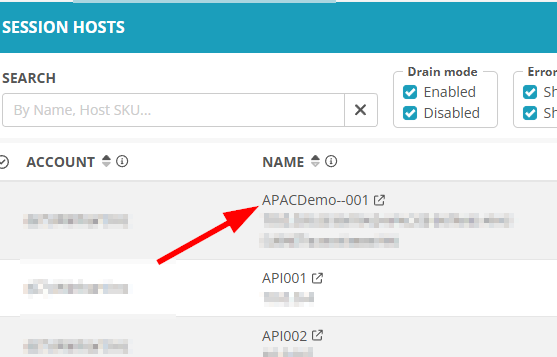
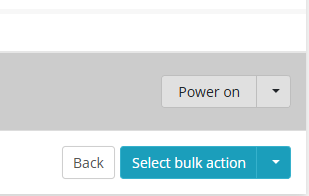
It would be useful to be able to shut down, delete, restart VM's when you have a custom view at the top level of Nerdio. For example, I have a view that shows me all session hosts across all customers. If Auto-Scaling goes wrong and adds one too many VM's. It would be helpful if I could just delete or shut them down from that view.


This would save a few clicks from having to go into each customer and delete the session hosts. Also restarting them if there are ever issues would be good. I use the view as a "Morning Check" to see what hosts are up and if any are having issues.


Thanks

Ben

0

Comments (3 comments)

1
Avatar
Dave Stephenson

I know we've had quite a few ideas for this since Global Views came out.
Search results – Nerdio Help Center

I know our product team said that adding "action" functionality (like you mentioned) is "quite costly in terms of API calls".
Right now, Microsoft throttles the number of API requests we can make per-hour (see Request limits and throttling - Azure Resource Manager | Microsoft Learn) so we have to be careful in what we make calls for.

That being said, we "kind of" have this functionality, but in a round about way.
Do you think this will work for now until we get more API flexibility from Microsoft?

  1. Look at your view
  2. Click on the Name of the VM to jump to that resource at the Account level in NMM
  3. Run your desired action


0
Avatar
Ben Blake

Hi Dave,


Thanks for the quick reply, that works perfectly, it's loads better than what I was doing before!

I wasn't aware you could jump to resources like that, so that makes thing alot quicker for me,


Thanks

Ben

0
Avatar
Dave Stephenson

You're very welcome, Ben 🙂

Please sign in to leave a comment.