
In auto-scale there is a setting for stopped OS disk type which lets a SSD downscale to a HDD
But under pre-stage hosts we now have "Set all hosts to running OS disk types"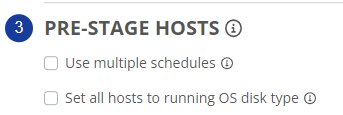
The description states it effects all stopped VM's.
My questions is -
(Currently) Server turns on from auto scale gets set to SSD, Server turns off from auto scale and turns in to HDD. Remaining servers are off and stay HDD the entire time.
Will turning this on update all servers that would have not turned on to SSD then never scale them back down to HDD until they are turned on?
The description states this is for "Start VM on Connect", will this only be an effective setting for pools that have a user limit and do not auto scale the next server when at capacity or am i missing something, it does not see like this would effect the start on connect outside of auto scale hours.
Question - Feature clarification Stopped OS Disk

Yes. As the tool tip says, it only applies to host pools that are provisioned to use Start VM on Connect.
We currently have the Start VM on Connect feature enabled (Host Pool Properties) and 0 hosts that are pre-staged to start (Auto-Scale Settings). However, we do have the Set all hosts to running OS disk type feature enabled so that starting at 4AM, all of the hosts get the Premium SSD disk, but do not turn on until someone logs in. If no one logs in after 3.5 hours (i.e. on a Holiday), the disks turn back to Standard HDD. The autoscale rules (i.e. Max User Sessions) will automatically set the server to the running disk type. But, with Start VM on Connect, there's not a way for Nerdio to inject its automation (Microsoft limitation) in the Start VM process to change the disk type.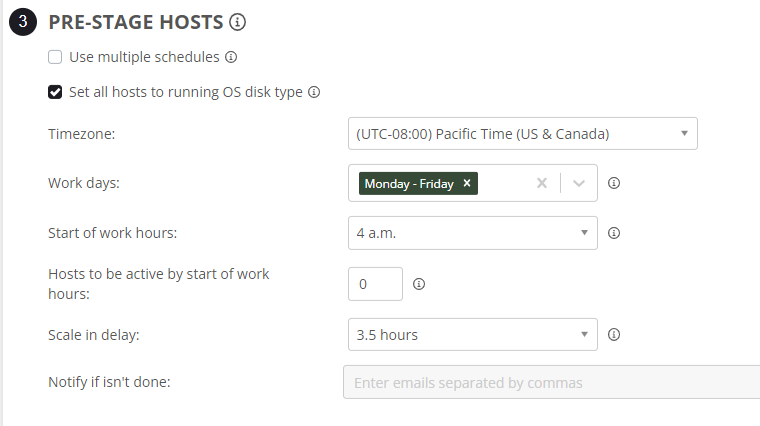
The change back is the information i was missing.
The rest i assumed. Thank you for the response.
Please sign in to leave a comment.
Comments (2 comments)