***Win11 Images with 22H2 and AD Join....AH SYSPREP Errors!!!!***

Hey Everyone,

  Just a public service announcement here.  There's a known issue with Windows 11 and the 22H2 feature update.  If a desktop image is AD joined, this will not sysprep/provision hosts properly.  You'll find more info in this thread:

https://learn.microsoft.com/en-us/answers/questions/1027370/windows-11-sysprep-1.html 

We've seen some partners use this workaround with success:

https://blog.itprocloud.de/SYSPREP_and_rollout_deploy_WINDOWS_11_22H2_in_Azure/ 

To avoid this entirely, we would advise not joining desktop image VMs to AD as this is not required (Especially if using Win11 22H2).  You'll find this option when creating or importing an image and unchecking this box will skip this AD Join:


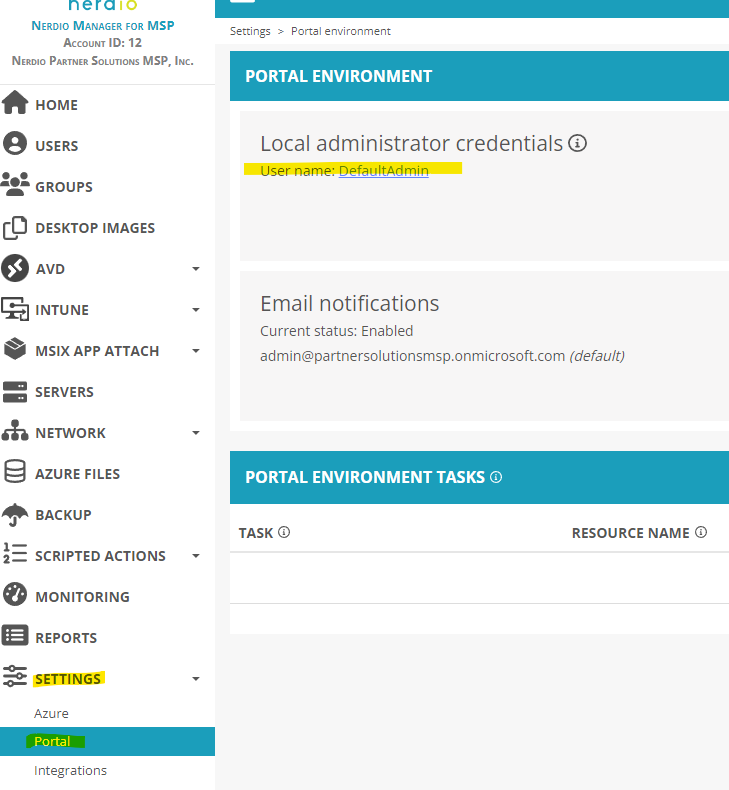
If you have not yet, we would also advise ensuring you have a local administrator account configured in Nerdio Manager for MSP.  This will ensure this local administrator is added to any VM created via Nerdio (including desktop image VMs).  You can find this option under Settings>Portal for your customer's account:
 

So if you're thinking about deploying Win11 with 22H2 and joining that desktop image to AD:

 

Chuck M.

Solutions Support Manager here @ Nerdio

1

Comments (4 comments)

2
Avatar
Travis Lamming

I wonder when MS will get around this one. Not a huge deal if you are looking out for it, but certainly strange.

1
Avatar
Robin Herbert

Looks like a week after your comment, it was fixed in a Release Preview Releasing Windows 11 Build 22621.1343 to the Release Preview Channel | Windows Insider Blog.
"

  • We fixed an issue that affected the Local Security Authority Subsystem Service (LSASS). LSASS might have stopped responding. This occurred after you ran Sysprep on a domain-joined machine.

"

When I tried a Windows 11 22H2 image creation a week ago, I didn't use the Run Script but Sysprep still completed as expected in a few minutes.
I guess so long as your Windows 11 22H2 install has had updates applied and therefore the build is greater than 22621.1343 at that point, it'll be fine when you Sysprep it!

0
Avatar
Travis Lamming

Anyone else running windows 11 images at scale yet? Any known issues?

1
Avatar
Ethan Stout

We've been running Win 11 for ourselves and several clients for over a year without any issues (short of the one noted here). I'm about to update one of our images to 22h2 and see if everything works out well, and then roll it out to everyone if it does.

Please sign in to leave a comment.